Start Your UI/UX Journey with Cognitec:
The digital world is changing fast, and companies need creative problem solvers who understand users and design meaningful products. Joining Cognitec’s UI UX Designing Course can open doors to a bright and creative career where every day is different and exciting. This UI UX course is designed to build your confidence, improve your creativity, and make you job-ready with practical skills and real projects. If you want a career that mixes creativity, technology, and problem-solving, then this UI UX designing course is the perfect path for you. Your journey to becoming a skilled UI/UX designer starts here at Cognitec, where learning is simple, practical, enjoyable, and focused on your success.
What You Will Learn in the UI/UX Designing Course
Our program is built to make you skilled, confident, and industry-ready. Every topic is explained in a simple and practical manner. Understanding UI & UX from Scratch Before creating designs, you need to understand what users want. This module explains: The full meaning of UI and UX How UI and UX work together What makes a design good or bad How brands use UI/UX to grow Difference between UI designers, UX designers, and product designers This helps you build a strong base before moving to tools and projects in the UX course. 2 Wireframing – Planning the Structure Wireframes are the backbone of every digital product. In this module, you learn: What wireframes are How to plan layouts How to structure screens Low-fidelity vs. high-fidelity wireframes Wireframing tools and best practices 3. Prototyping – Bringing Ideas to Life Prototypes show how users will interact with your design. You will learn: What prototypes are Why prototypes are important Creating interactive prototypes Linking screens and creating user flows Testing prototypes with users 4. Visual Design & UI Principles Appearance matters. This module helps you master visual elements that make any design look clean, modern, and attractive. Color theory Typography Layouts & spacing Grids UI patterns Iconography Component design 5. Mastering Modern UI/UX Tools Today’s designers use modern tools, and our Designing course covers all major tools used worldwide: Tools You Will Learn: Figma – the most popular UI/UX tool Adobe XD Sketch FigJam for brainstorming Plugins for faster design work 6. UI/UX Case Studies & Real Industry Projects Every learner works on practical projects, such as: Designing a mobile app Designing a website Creating an e-commerce platform UI Revamping an existing product Building a complete design system These projects become part of your portfolio, which increases your chances of getting hired quickly.
- Mastering the Tools:
- You can't be a carpenter without a hammer, and you can't be a designer without software. In this Designing course, we cover the industry standards. We don't waste your time with outdated tools.
- Figma: Figma is currently the king of the design world. It is collaborative, web-based, and incredibly powerful. We spend a lot of time here because it is likely what your future employer will use. You will learn how to use Auto Layout, Components, and Variants to work faster
- Adobe XD: Another heavy hitter in the industry. We teach you how to use XD for rapid prototyping and how it integrates with the rest of the Adobe ecosystem
- Sketch: While Figma is popular, many legacy projects and specific design teams still love Sketch. We ensure you know your way around this Mac-based tool so you are ready for any job requirement
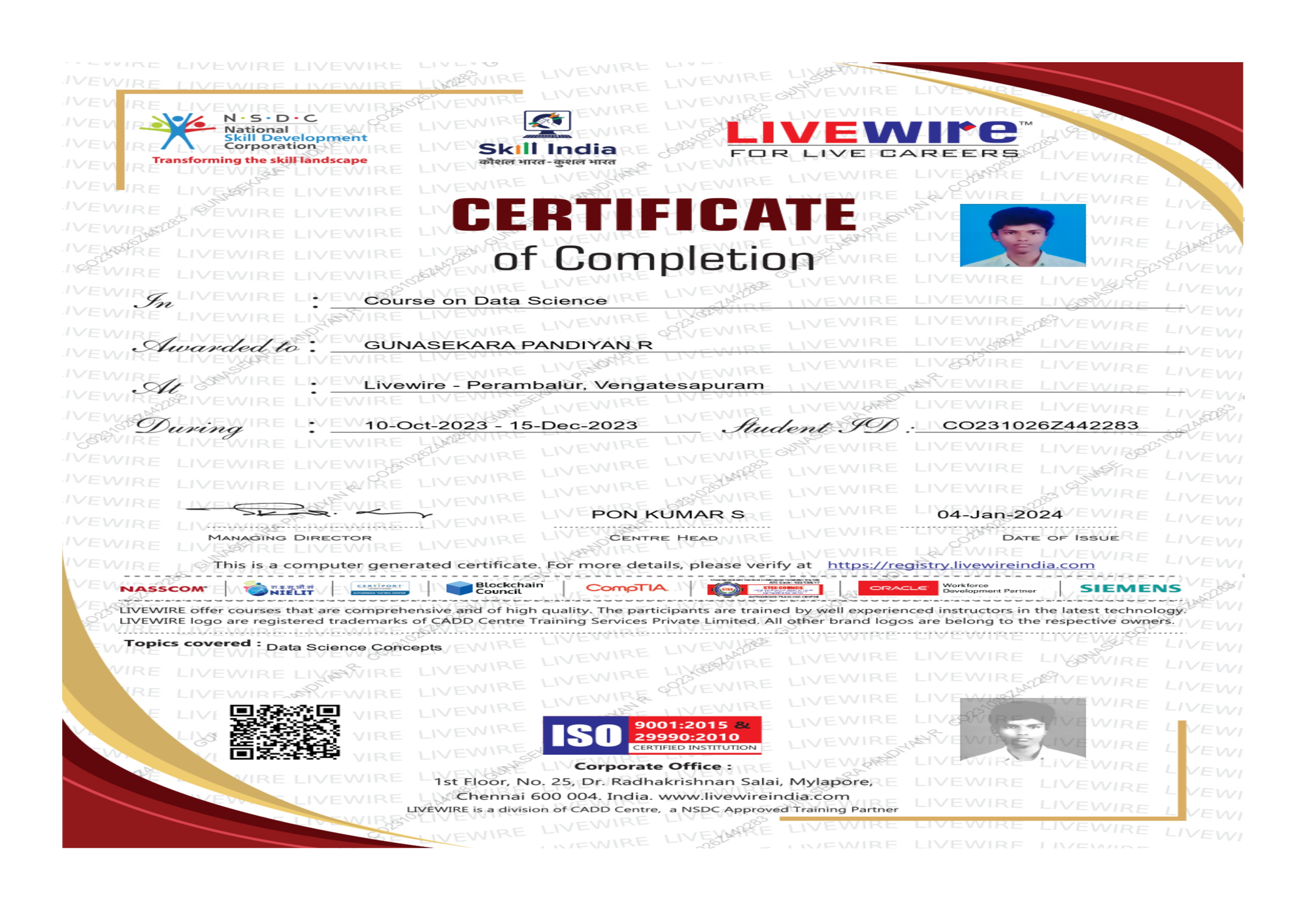
Certificate
UI/UX Designing Course in Chennai - Certificate Upon successful completion of the UI/UX Designing Course in Chennai, students will be awarded a Certification in UI/UX Design. This certification demonstrates proficiency in the key areas of User Interface (UI) and User Experience (UX) design, including design principles, research methodologies, prototyping, testing, and UI development. The course equips students with the knowledge to: Create intuitive and user-centered designs for web and mobile applications Conduct user research and gather insights to inform design decisions Develop high-fidelity wireframes, prototypes, and interactive user interfaces Utilize the latest tools and technologies in the UI/UX design industry, including Figma, Adobe XD, Sketch, and InVision. The certification is awarded after students complete practical assignments, project work, and exams, ensuring that they are industry-ready and capable of building impactful digital experiences.
Tools Covered



How we prepare you

How we prepare you
Data Science Foundation Training Panel of Coaches

Poorva
6+ years of industry experience
I completed my python courses in Cognitec Padi. It was offline with assignments to practice and was handled by an experienced trainer, it was helpful and easy to understand. Thankyou team.

Madhumitha
- Python
Happy collected my certificate in Python. Good trainer and very friendly environment. Thank you all Cognitec.

Kanmani
- Python
I'm impressed . Excellent institution in Chennai, The trainers has cutting edge knowledge about data science and they are experienced. I recommend Cognitec for those are trying to upgrade their skills and those who are trying to change their streams into Data Science

Aswin
- Best Data Science training Institute in Chennai
I have joined data science course, the trainers were perfectly do their jobs , they conveying easily I could understand shortly and one of best centre I have ever seen.

Mrinalini
- Best data science course in Chennai
The Data Science course offered here is really good they give a Detailed Explanation of each and every Module. The method of teaching is interactive. Additional to this we also have value added courses which is very informative.

Rakesh
- Data Science course in Chennai
The structure of the course is very professional. It gives u the confidence that is required for the jobs n successful entry into Data science world. Thank you so much Anna Nagar team for guiding me in placement point of view.

Lathika
- Best Data Science Course in Chennai
Cognitec is a best Data Science training institute in chennai. All the mentors are well experienced in teaching data science. This institute helped me to understand data science very clear .I want to thank Cognitec Anna Nagar for helping to study data science. I will suggest Cognitec to everyone who wants to study data science

Muralidharan
- Best Data Science Training Institute in Chennai
I'm impressed.. Excellent institution in Chennai, The trainers has cutting edge knowledge about data science and they are experienced. I recommend Cognitec for those are trying to upgrade their skills and those who are trying to change their streams into Data Science.

Samyuktha
- Excellent Data Science training institution in Chennai
I'm very happy to share my nice experience with Cognitec for past 2 months in Studying Data Science Course, trainer was very patience in clarifying doubts. Daily will have recap session , for preparation for interview. I'm so glad to be a part of Cognitec. Thank you so much

Nishanthi Shivachandran
- Best Data Science Course in Chennai
The course content covers all the aspects required to become a Data Scientist. I got maximum knowledge on my course. The IIT trainers here are highly skilled and demonstrate each topic precisely. Thank you Cognitec Anna Nagar team for this best Data Science training.

Shivani Madhimaran
- Best Data Science Training Institute in Chennai
Test description

RCE Test User
- Test Title
The course trains you to design intuitive interfaces and seamless digital experiences through user research, wireframing, prototyping, and usability testing
Yes, whether you're a graphic designer, student, or career switcher, this course starts with design principles and builds up to professional-grade UI/UX projects
You’ll work hands-on with tools like Figma, Adobe XD, and Sketch, while also learning design systems, mobile-first strategies, and accessibility best practices
Absolutely. You’ll gain exposure to Chennai’s growing tech and design ecosystem, with opportunities to connect with local design mentors and creative agencies
You’ll develop a job-ready portfolio including mobile apps, responsive websites, and real client-style projects, ideal for freelance work or product design roles
Our Branches

© 2025 OFF label. All rights reserved.