Power BI Course Overview: What Will You Learn at Cognitec?
Cognitec has structured this course to be a complete roadmap. Whether you are a fresh graduate looking for your first job or a working professional wanting to upskill, this power bi certification curriculum is built for you
Mastering the Interface: Power BI Desktop Layouts First impressions matter. We start by getting you comfortable with the Power BI environment. It can look intimidating at first with all its ribbons, panes, and canvas options. We break it down simply. The Canvas: Where the magic happens. The Data View: Understanding what your data actually looks like. The Model View: How to link different data sets together. You will learn how to navigate these layouts with your eyes closed. We ensure that you understand the workflow so you aren't just clicking buttons randomly; you are navigating with purpose.
Transforming Unstructured Data: Data rarely comes to us clean. It’s usually messy, full of errors, and unstructured. Before you can visualize anything, you have to clean it up. In this module, we teach you how to be a data detective. You will learn how to: Import data from various sources. Clean up messy rows and columns. Format data so the system reads it correctly & Create relationships between different tables (this is the secret sauce of powerful reports).
The Power of DAX Commands:This is where many students get scared, but at Cognitec, We make it easy. DAX stands for Data Analysis Expressions. It sounds fancy, but it is essentially a collection of formulas—similar to Excel formulas but much more powerful. DAX is what allows you to ask specific questions of your data. “What was the year-over-year growth?” “What is the running total of sales for this quarter?” “How many active customers do we have right now?” We don't just ask you to memorize commands. We teach you the logic behind DAX Functions. You will learn how to write custom formulas to calculate exactly what you need. By the end of this section, you will be writing DAX commands like a pro.
Building Visuals: Charts, Graphs, and Maps:Now for the fun part. This is where you get to be creative. We move beyond simple bar charts. We will teach you how to choose the right visual for the right data. Pie Charts & Donut Charts: For showing parts of a whole. Line Charts: For showing trends over time. Maps: For geographical data (imagine seeing your sales pin-pointed on a world map!). Scatter Plots: For finding correlations. You will learn how to format these visuals to make them look professional, branded, and easy to read.
Career Opportunities After Power BI online course:
Completing the Power BI course opens the door to many job opportunities. After completing this Power BI online training, you can apply for roles such as: Power BI Developer, Data Analyst, Business Intelligence Analyst, Reporting Analyst, Dashboard Designer, MIS Executive. Why Choose Cognitec for Your Power BI certification? Cognitec has been known for offering practical, job-oriented courses that help learners grow in their careers. With expert trainers, supportive learning sessions, and hands-on practice, our programs are designed to deliver real value. Our Power BI online training is structured to help even beginners learn with comfort.
- Industry Experts as Trainers : Our faculty members have deep experience in business analytics, data visualization course, and dashboard creation. They teach using real business examples, making concepts easy to understand.
- Practical Approach : Every chapter includes practical exercises. Students work on real datasets and learn how to build dashboards and interactive reports.
- Simple and Clear Teaching : We do not use complicated words or confusing explanations. The teaching is clean, easy, and beginner-friendly.
- Strong Course Structure : The entire training covers Power BI Desktop, DAX formulas, dashboards, visualizations, report layouts, and publishing tools.
- Suitable for Everyone : Whether you are a fresher, working professional, business owner, or someone who wants to move into analytics, this power bi certification fits all.
- Start Your Power BI Learning Journey with Cognitec
- If you want a career that grows, a skill that is always in demand, and training that actually makes you confident, this course is perfect for you. The industry needs people who can make sense of data, and Power BI is one of the best tools for that. Cognitec’s Power BI online course is your chance to learn from experts, practice real projects, and become job ready
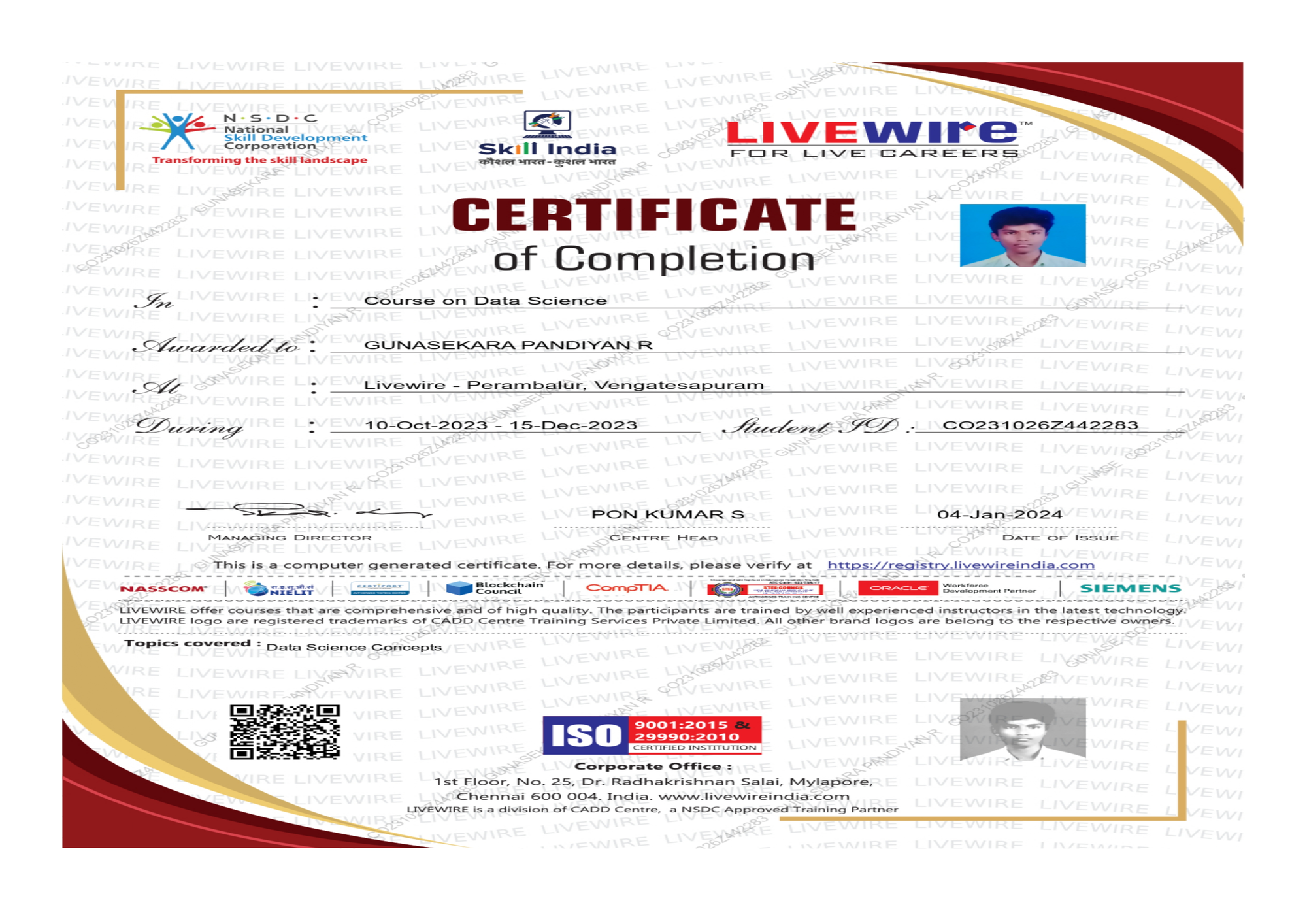
Certificate
Get a certificate and showcase your dedication to your career. Utilize it to differentiate yourself in the industry, get acknowledged in the job market and boost your job profile value. This certificate is your ticket to a skyrocketing in your career.
Tools Covered

How we prepare you
 Industry expert trainers
Interactive classroom sessions
Business-related course curriculum
Regular practical assignments
Certificate of Excellence upon course completion
Dedicated doubt clarification sessions
How we prepare you
Industry expert trainers
Interactive classroom sessions
Business-related course curriculum
Regular practical assignments
Certificate of Excellence upon course completion
Dedicated doubt clarification sessions
Data Science Foundation Training Panel of Coaches

Krithik Balasubramaniam
Krithik Balasubramanian is a highly accomplished Data Science and Artificial Intelligence (AI) Trainer with over 20 years of extensive experience in the field. He possesses a deep and comprehensive understanding of machine learning, deep learning, natural language processing (NLP), computer vision, big data analytics, and cloud-based AI solutions.
Krithik has consistently delivered impactful training programs tailored to both industry professionals and academic learners, helping bridge the gap between theoretical knowledge and practical application. With a passion for empowering the next generation of AI talent, he remains at the forefront of emerging technologies, integrating the latest tools and techniques into his training methodology.
I completed my python courses in Cognitec Padi. It was offline with assignments to practice and was handled by an experienced trainer, it was helpful and easy to understand. Thankyou team.

Madhumitha
- Python
Happy collected my certificate in Python. Good trainer and very friendly environment. Thank you all Cognitec.

Kanmani
- Python
I'm impressed . Excellent institution in Chennai, The trainers has cutting edge knowledge about data science and they are experienced. I recommend Cognitec for those are trying to upgrade their skills and those who are trying to change their streams into Data Science

Aswin
- Best Data Science training Institute in Chennai
I have joined data science course, the trainers were perfectly do their jobs , they conveying easily I could understand shortly and one of best centre I have ever seen.

Mrinalini
- Best data science course in Chennai
The Data Science course offered here is really good they give a Detailed Explanation of each and every Module. The method of teaching is interactive. Additional to this we also have value added courses which is very informative.

Rakesh
- Data Science course in Chennai
The structure of the course is very professional. It gives u the confidence that is required for the jobs n successful entry into Data science world. Thank you so much Anna Nagar team for guiding me in placement point of view.

Lathika
- Best Data Science Course in Chennai
Cognitec is a best Data Science training institute in chennai. All the mentors are well experienced in teaching data science. This institute helped me to understand data science very clear .I want to thank Cognitec Anna Nagar for helping to study data science. I will suggest Cognitec to everyone who wants to study data science

Muralidharan
- Best Data Science Training Institute in Chennai
I'm impressed.. Excellent institution in Chennai, The trainers has cutting edge knowledge about data science and they are experienced. I recommend Cognitec for those are trying to upgrade their skills and those who are trying to change their streams into Data Science.

Samyuktha
- Excellent Data Science training institution in Chennai
I'm very happy to share my nice experience with Cognitec for past 2 months in Studying Data Science Course, trainer was very patience in clarifying doubts. Daily will have recap session , for preparation for interview. I'm so glad to be a part of Cognitec. Thank you so much

Nishanthi Shivachandran
- Best Data Science Course in Chennai
The course content covers all the aspects required to become a Data Scientist. I got maximum knowledge on my course. The IIT trainers here are highly skilled and demonstrate each topic precisely. Thank you Cognitec Anna Nagar team for this best Data Science training.

Shivani Madhimaran
- Best Data Science Training Institute in Chennai
Test description

RCE Test User
- Test Title
This course teaches you how to connect data sources, transform raw data, and design powerful dashboards using Microsoft Power BI—focusing on insights that drive business decisions
Yes, the course is structured for non-technical users too. Whether you're in finance, marketing, or operations, you'll learn to tell stories with data—no coding needed
Yes, participants receive a verifiable certification upon completion, helping you stand out in roles involving business analysis, performance tracking, and data reporting
You’ll learn through real-time dashboards, role-based use cases, and business scenarios—supported by hands-on labs, guided assignments, and expert feedback throughout the program
You’ll learn to turn raw data into meaningful visuals that highlight trends, patterns, and KPIs to support strategic decisions
Our Branches
© 2025 OFF label. All rights reserved.